30 Sep What Are the Best Authoring Tools for E-Learning? A Guide for HR Teams
HR teams are responsible for onboarding new employees, delivering compliance training, and supporting ongoing learning within the organization. However, most HR managers are neither instructional designers nor do they have time to learn complex course development software. This is where the right e-learning authoring tool helps HR managers create and launch training quickly, update content with ease, and publish courses without relying on external experts.
This guide covers the best e-learning authoring tools that combine ease of use and quick course creation for compliance training and onboarding without requiring much design expertise.
What HR Teams Should Look for in an Authoring Tool
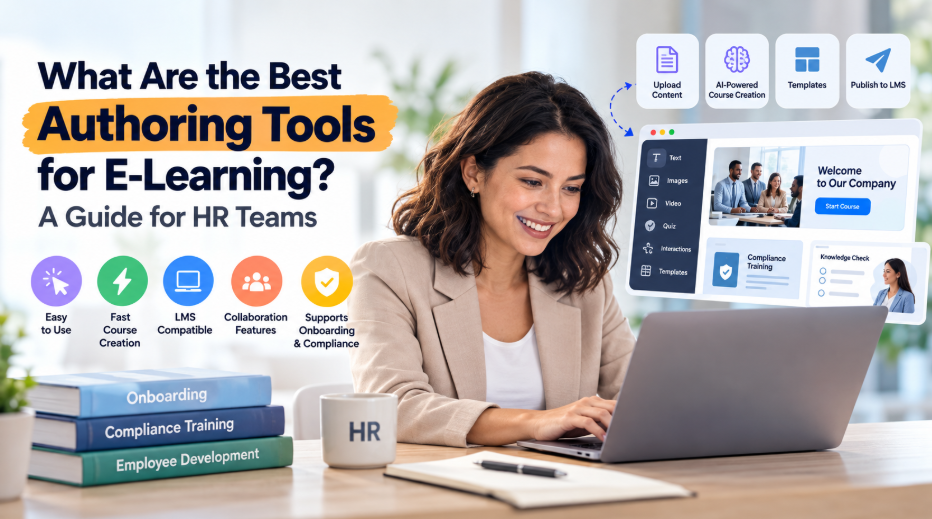
An authoring tool is software that lets you create online courses, including text, images, videos, and quizzes. HR teams prefer something simpler when it comes to e-learning authoring tools. These include:
- Ease of Use
Most HR managers want a tool that lets them create training without learning advanced technical skills or going over instructional design concepts.
- Fast Course Creation
Training requirements can come up out of the blue. A good authoring tool should let HR teams convert existing content into learning experiences.
- LMS Compatibility
Most organizations already have an LMS (learning management system). The authoring tool should easily integrate with existing systems using SCORM and other standards.
- Collaboration Features
Multiple stakeholders often contribute to training content. Collaboration tools enable HR teams to collect feedback and share updates effortlessly.
- Onboarding and Compliance Support
Many HR teams focus on mandatory training activities. The platform should make it easy to build, update, and distribute onboarding and compliance courses.
The Best E-Learning Authoring Tools for HR Teams
Each of the following tools is described according to how well it suits HR-based training:
- Easygenerator
Easygenerator is built for HR teams and subject matter experts with no instructional design experience. Its editor is easy to use; add content, choose a layout, and build quizzes without technical skills. This makes it a right fit for onboarding and compliance training, the two most common HR requirements.
Why It Works Well for HR Teams
- Strong fit for onboarding and compliance: Create annual compliance courses, policy refreshers, and new-hire programs, and update them quickly as regulations change.
- EasyAI Agent: HR teams can upload documents like employee handbooks, company policies, compliance documentation, workplace procedures, and onboarding guides. The AI can convert the data into organized e-learning courses, saving development time.
- SCORM export and LMS publishing: You don’t need to switch learning platforms to get started, as it works with the LMS your organization already uses.
Best for: HR teams looking to create compliance and onboarding courses quickly without external help.
- Articulate 360
Articulate 360 is one of the best-known authoring platforms for corporate training. It includes Storyline, which offers broad customization and interaction, and Rise, a quick template-based solution for responsive courses. Storyline takes time to understand, whereas Rise is simple for beginners.
Main Features for HR Teams
- Rise: A fast template-based tool for creating responsive courses with minimal design work.
- Storyline: Interactivity and advanced customisation for branching and complex scenarios.
- Content library: Characters, templates, and stock materials to speed up course development.
- Review and feedback tools: Stakeholders can comment on courses before they go live.
Best for: Teams wants to expand into more advanced interactions and have a dedicated course designer on board or plan to hire one.
- iSpring Suite
iSpring Suite functions as a PowerPoint add-in. It will seem familiar to your team if they have experience creating presentations. The learning curve is gentle, but results rely on how well your slides are designed. However, long, text-heavy presentations might still result in boring courses.
Key Benefits for HR Teams
- Quizzes and assessments: Create knowledge checks to check understanding and monitor results.
- Dialogue simulations: Create basic conversational exercises, useful for management and soft skills training.
- Screen and video recording: Record narrated lessons and walkthroughs.
- LMS-ready export: Publishes in common LMS formats.
Best for: HR teams that already use PowerPoint and wish to create courses from their existing decks.
- Adobe Captivate
Adobe Captivate is a feature-rich authoring tool, designed to create highly interactive instructional materials. It offers advanced features for software training, branching scenarios, and simulations.
However, HR teams without design experience could take more time to learn than is required for regular onboarding or policy training.
Why It Is Best for HR Teams
- Software simulations: Record on-screen steps to teach employees how to use a specific system.
- Branching scenarios: Create learning paths based on decisions with multiple outcomes.
- Responsive design: Courses adapt to different screen sizes.
- Interactive objects and quizzing: Detailed control over interactions and assessments.
Best for: Teams building advanced simulations or software training, preferably with a skilled designer.
- Elucidat
Elucidat is a cloud-based authoring platform made for large-scale learning content creation teams. It focuses on collaboration, governance, and consistency within large organizations. This e-learning authoring tool is a good fit for global organizations, distributed learning teams, and companies managing extensive training libraries.
Why HR Teams Should Use It
- Team collaboration: Review procedures allow multiple authors to collaborate in one place.
- Governance and brand control: Maintains consistency in branding and quality across teams and regions.
- Multi-language support: Useful for global workforces.
- Analytics: Insights into how learners engage with content.
Best for: Large organizations that need to scale content development across contributors.
- Gomo
Gomo is a cloud-based tool for creating multi-device, responsive courses. It simplifies course creation and deployment. Non-designers may need more time to get comfortable with it than with simpler tools, so plan for a learning period before your first launch.
Why It Is the Best Fit for HR Teams
- Layout and design flexibility: Good control over how content looks.
- Multi-language translation support: Helps when training spans regions.
- LMS publishing: Exports courses for use in your learning platform.
Best for: Teams that want design control and are comfortable investing time in learning the platform.
The Bottom Line!
Choosing the right authoring tool can considerably reduce the time and effort required to conduct employee training. HR teams should focus on tools that match their expertise level, facilitate collaboration, and enable quick course deployment. Focus on LMS compatibility, AI-powered content creation, compliance support, onboarding capabilities, and ease of use, and then choose the tool that gets your training live fastest.
No Comments